Phase 18 — PDF to In-App 3D to SOR, Without a 3D Accuracy Claim
STATUS: path shipped; 3D quantity not earned. Headline estimand is qty_3d. Corpus badge INSUFFICIENT_CROSS_PROJECT_COVERAGE. Peak P drawing is partial (FLOOR_IDENTITY_AMBIGUOUS). 3D Detection and QA@20 are blocked with null percents — not 0%. No 80–90% claim. No IFC. Previous SMM Phase 18 is archived; @teraquant/smm remains.
This is an investigation journal plus a product how-to, not a 3D accuracy launch. Every percentage below is copied from the reviewed Phase 18 reconstruct ledger (reconstruct-ledger.v1.json), 3D quantity artefact (qty-3d-results.v1.json), and verification report (docs/PEAK_PHASE18_ACCURACY_REPORT.md, docs/PHASE18_VERIFICATION.md). Nothing here was re-scored for publication. Blocked work stays blocked.
A different estimand
Phases 5–17 published 2D Detection and QA@20 on drawable Schedule C rows read from plan PDFs. That estimand is limited by projection, A0 downscale, and missing elevation. Phase 18 asks a different question: after lifting pages into a per-project world-metres scene, can length, count and height be measured in 3D and mapped back to Schedule C with 2D evidence?
The two scores must not be blended. This post does not recopy any Phase 17 2D QA@20 figure as a 3D result. Classification numbers that appear later are the existing bill classifier on ingested rows — not 3D hit-rate. Opt-in research flags (EVIDENCE_TILED_EXTRACT, VECTOR_GEOMETRY_COUNT) stay off in the signed-in default extract; they are not this 3D path either.
What the path does
- PDF pages (plan, optional section) stay in display-normalized 2D for overlays. The CAD canvas is not replaced.
- Floor datums and storey heights lift points into world metres. Assumed typical storey height is labelled assumed, never measured.
- An in-app 3D model tab sits beside the CAD viewer. There is no IFC, Revit or glTF export.
- Selecting a 3D primitive is supposed to jump to its 2D evidence on the same drawing page. That live loop was not certified on Peak (LI: PASS_WITH_BLOCKED_LIVE_3D). Independently, Peak P currently has no pipe to click.
Corpus: reconstruct versus blocked
Twenty-one training and live-linked projects were attempted. None fully reconstructed to pairable 3D primitives. Nine stopped as partial with an explicit reason. Twelve were blocked. Nothing was silently dropped from the baseline roster. Source: reconstruct-ledger.v1.json counts (total 21 / reconstructed 0 / partial 9 / blocked 12).
| Reconstruct status | Projects | n/N |
|---|---|---|
| Reconstructed | 0 | 0/21 |
| Partial | 9 | 9/21 |
| Blocked | 12 | 12/21 |
| Not applicable | 0 | 0/21 |
Primary reconstruct reasons on the ledger: no plan pages (9), missing storey height (7), ambiguous floor identity (4), not-to-scale (1). Partial is not a successful takeoff. It means the engine stopped honestly — no fabricated floors, no assumed height labelled as measured.
INSUFFICIENT_CROSS_PROJECT_COVERAGE. Gates missed: fully evaluated projects 0 < 10; evaluated drawable rows 0 < 1,000; count rows 0 < 300; length rows 0 < 120; regions 0 < 2; disciplines 0 < 3.
3D Detection, QA@20 and coverage
The 3D quantity artefact evaluated zero projects. All 21 are blocked for Detection and QA@20. Numerators, denominators and percents are null. An inventory of 2,463 drawable rows exists across the roster (largest share Kwai On, about 26% of that inventory). That inventory is not an evaluated 3D denominator. Artefact field projectCoveragePct: 0 means 0 evaluated / 21 projects — not Detection encoded as 0%.
| 3D metric | Status | n/N | Percent |
|---|---|---|---|
| Evaluated projects | recorded | 0/21 | coverage 0 evaluated — not Detection 0% |
| Detection (corpus) | blocked | null/null | null |
| QA@20 (corpus) | blocked | null/null | null |
| QA@0 (Peak P&D) | blocked | null/null | null |
Peak P vertical slice
The first slice is the live Peak project (143a3a07-99c1-46b4-809c-716365a673b8) and its P (plumbing and drainage) construction drawing 198b4105-324b-4ded-8cf8-a267248b19c4 — five pages, expected storeys G / 1 / 2 / R / UR. The reconstruct is partial: the engine cannot assign a primary floor, so it promotes none. Floor keys are empty. Height provenances are empty. Assumed typical storey height was not applied (assumedHeightUsed: false). Geometry was not fabricated. The 270° display contract matches (MediaBox 2384×3370 becomes display 3370×2384).
| Peak P&D 3D | Status | n/N | Note |
|---|---|---|---|
| Detection | blocked | null/null | FLOOR_IDENTITY_AMBIGUOUS |
| QA@20 | blocked | null/null | same reason |
| QA@0 | blocked | null/null | same reason |
| Inventory drawable | blocked rows | 139/139 | 74 count, 65 length, 6,606 m listed — not scored |
The Peak P&D classification score 142/146 (97.26%) is the existing classifier on the bill, not 3D detection. AC and FS Peak drawings were blocked as having no plan pages. The D drawing shares the same ambiguous-floor stop as P. Source: qty-3d-results.v1.json peakPd.
Verification, and what was not seen
Automated checks passed: domain tests, web type-check and build, the 270° lift fixture, blocked-not-zero-percent ledgers, and isolation of the 3D estimand from 2D headlines. The live verdict is PASS_WITH_BLOCKED_LIVE_3D. A signed-in Peak session was not available to the verification agent, so overlay drift and 3D-select-to-2D were not exercised. Independently, Peak P has no pipe to click.
The Phase 5 demo-grid annotator that once painted fake runs from text length is not used here. Screenshots below are the shipped 3D model tab and inspector against the honest Peak P reconstruct payload (partial, zero floors, FLOOR_IDENTITY_AMBIGUOUS). They are not a certified production Clerk session, and they do not show a completed building.
The archived SMM headline
In mid-August the Phase 18 title was “identify the estimand”: Standard Method of Measurement as code, money-weighted truth, tenancy isolation. That work is archived, not deleted. The SMM package still builds. Money-weighted QA@20 and a tenancy rewrite were not launched and are not claimed. A later phase may revive them. They are not this 3D scoreboard.
How to open the 3D model tab
The rest of this post is a signed-in walkthrough of the path that shipped — not a claim that 3D takeoff is product-default accurate. For upload, extract, legend takeoff, geometric length and Schedule C review, start at /blog/how-to-use-teraquant. This guide stays on Phase 18 3D.
Host: https://www.teraquant.ai. Vertical slice used below: Peak project 143a3a07-99c1-46b4-809c-716365a673b8, P drawing 198b4105-324b-4ded-8cf8-a267248b19c4. UI labels are the shipped zh-TW / English strings (3D 模型 / 3D model). Peak-SOR training override (preferTraining) is Peak-only; do not expect it on other projects.
1. Sign in and open Peak
Sign in at https://www.teraquant.ai/sign-in. From /projects open The Peak, or go directly to /projects/143a3a07-99c1-46b4-809c-716365a673b8. Creating a new project and uploading your own PDFs is the general path described in the field guide; Peak is the Phase 18 vertical slice.
2. Open the multi-page P&D drawing
Open P 06 AI007_Construction Drawing(12-6-2026).pdf. The drawing viewer keeps PdfCanvas as the default 圖則 / Drawing view. You land on page 1 of 5. The right inspector defaults to 圖紙總覽 / Drawing summary — a 2D extract and Schedule C narrative, not a 3D scoreboard.
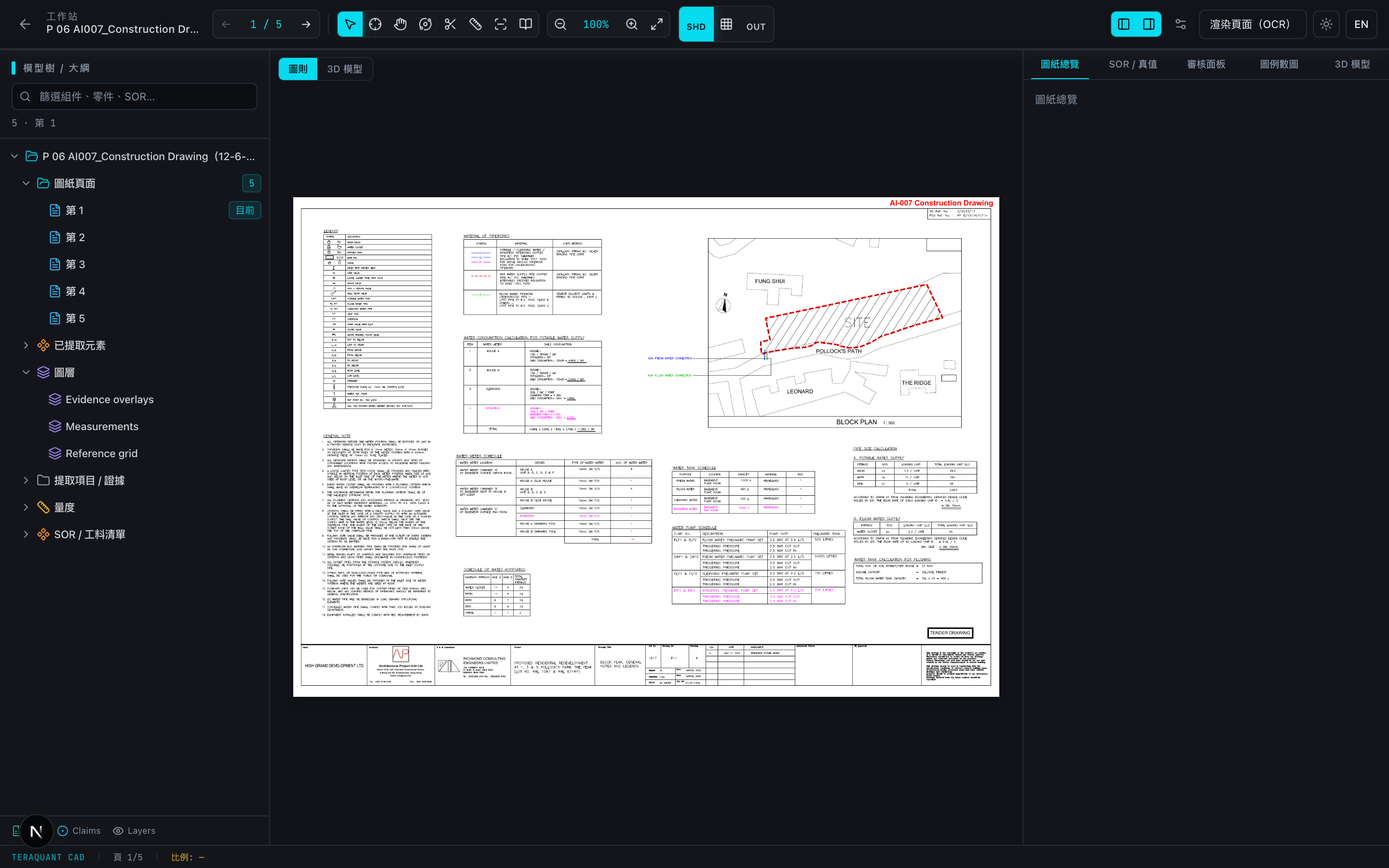
3. Switch the inspector to 3D 模型 / 3D model
On the right inspector, open the work tab labelled 3D 模型 (English: 3D model). You can also flip the centre canvas from 圖則 / Drawing to 3D 模型 / 3D model. The PDF canvas stays in the product; it is hidden while the 3D pane is up, not deleted.
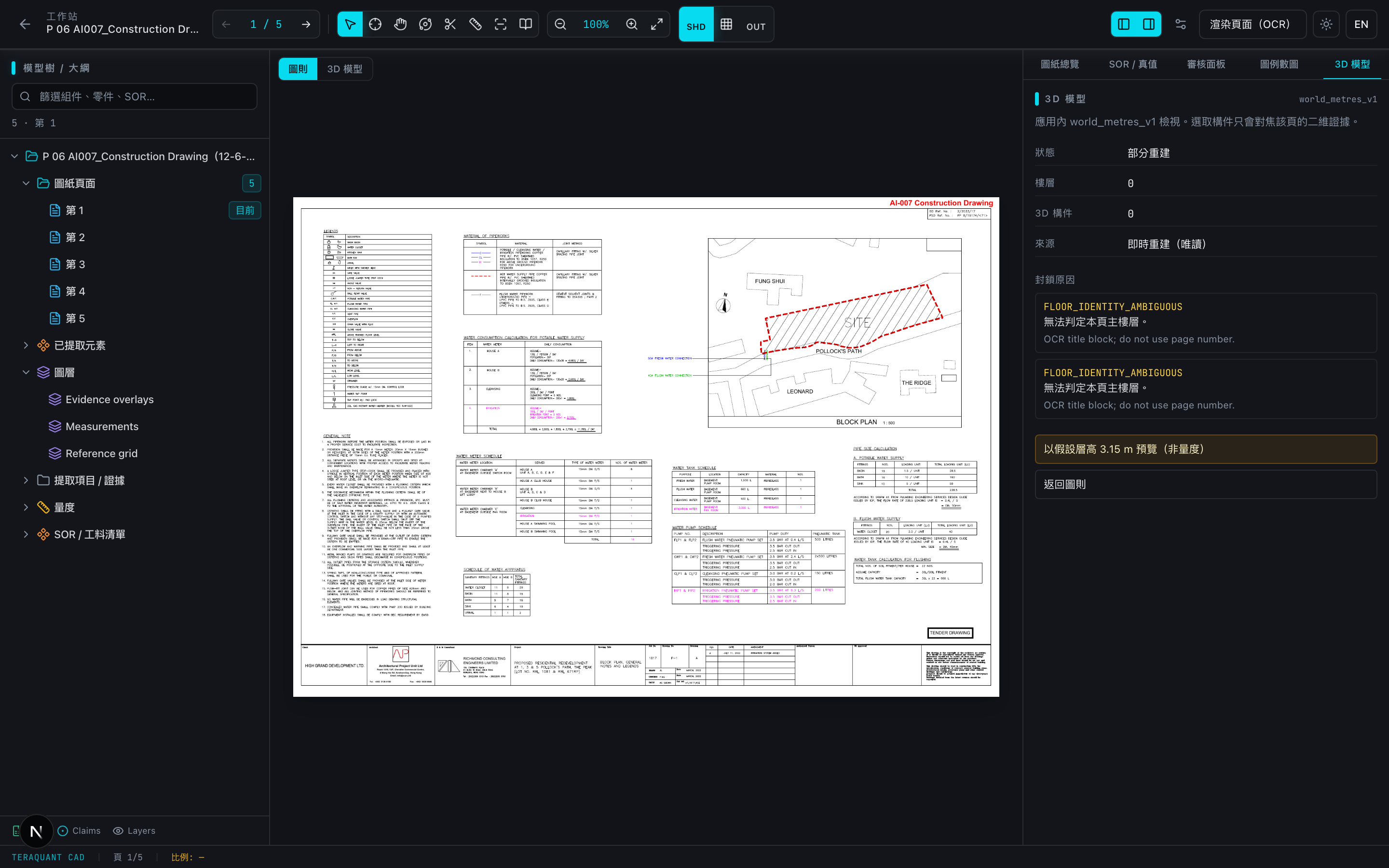
4. Read empty, loading, blocked and partial honestly
- Loading: 正在載入 3D 模型… / Loading 3D model…
- Empty: 尚未有 3D 重建 / No 3D reconstruction yet — the tab does not invent pipes.
- Blocked: 重建已封鎖(不是 0%) / Reconstruction blocked (not 0%). Blocked is not a zero quantity.
- Partial: 部分重建 / Partial reconstruction. Peak P is here. The engine attempted the drawing and stopped with FLOOR_IDENTITY_AMBIGUOUS. No storey was promoted.
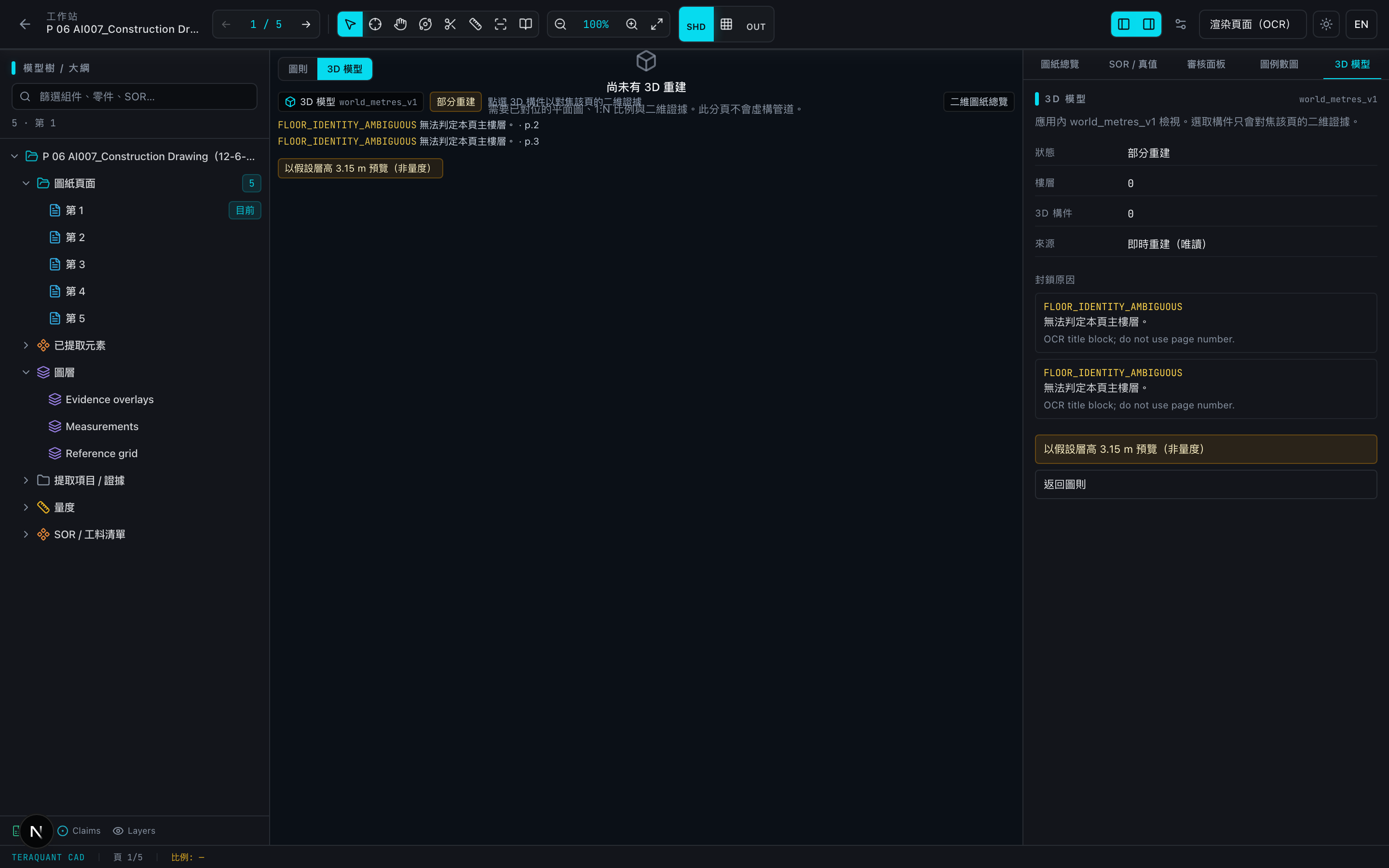
5. Assumed storey height is labelled assumed
The control reads 以假設層高 3.15 m 預覽(非量度) / Preview with assumed 3.15 m storey height (not measured). The 3.15 m figure is a library default (assumed_typical_storey_m), not a Peak measurement. Peak’s ledger has assumedHeightUsed: false until you opt in. After you opt in, the chrome must show 假設標準層高(非量度) / Assumed typical storey height (not measured). Clearing the preview returns to the unassumed reconstruct.
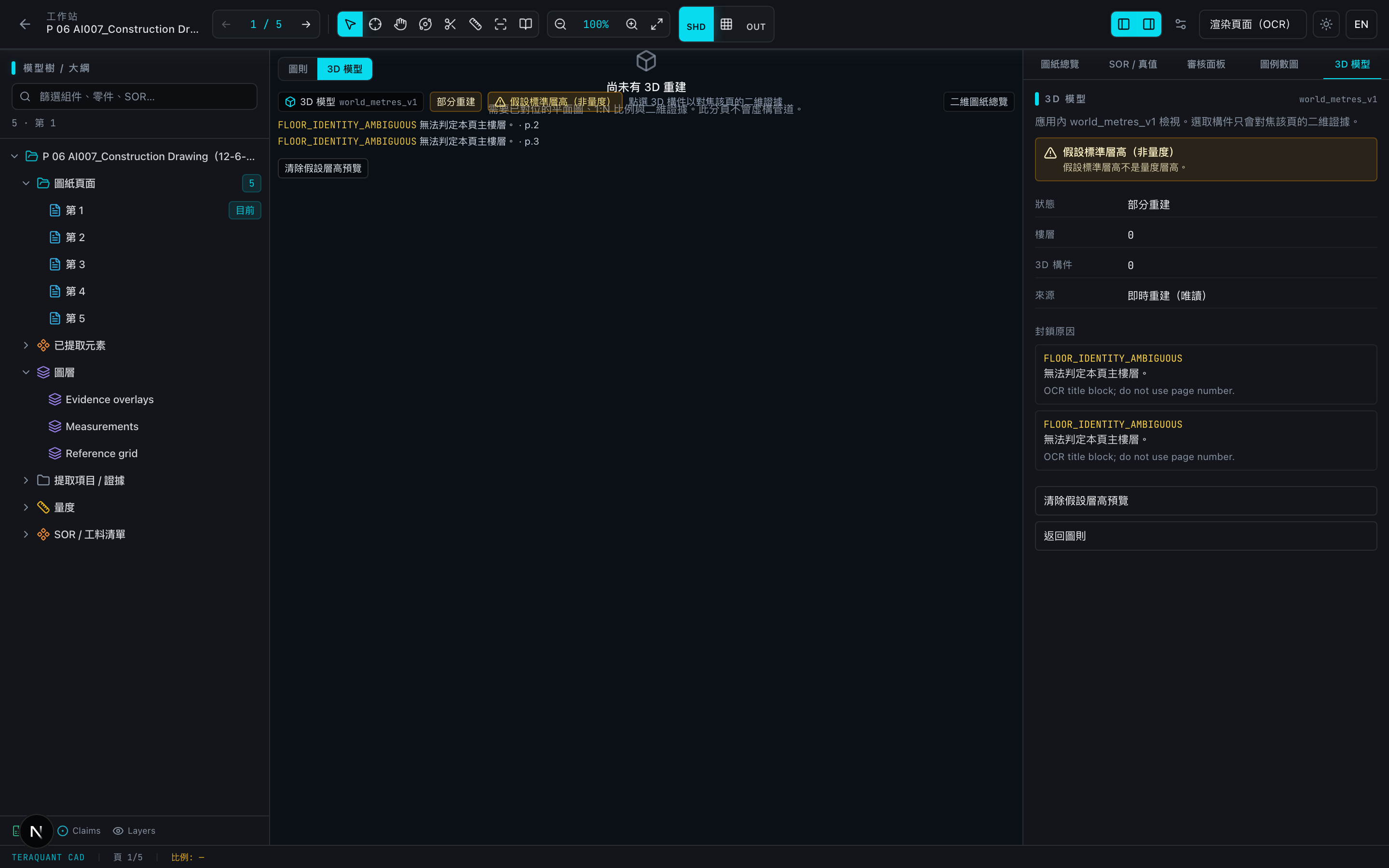
6. 3D selection to 2D evidence is not certified on Peak
When a model does contain primitives, the shipped contract is: click a 3D element → focus page-scoped 2D evidence on the same file (claim pin or display-normalized bbox). Missing evidence must not invent a pin. LI did not certify this loop on Peak. Two independent blockers: no signed-in Clerk Peak session in the verification pass, and Peak P has no pairable primitives (floorKeys: []). This post therefore omits a select-to-focus screenshot. The overlay in the 3D pane still says 點選 3D 構件以對焦該頁的二維證據 / Click a 3D element to focus page-scoped 2D evidence — that is the intended behaviour, not a certified Peak result.
7. How 3D relates to Schedule C and the drawing summary
圖紙總覽 / Drawing summary stays on 2D extract plus live SOR quantity match for this drawing. It does not carry length_3d, count_3d or qty_3d fields. Phase 17 dual-track 2D KPIs (project baseline vs this-drawing live), where present, are a different estimand. Do not treat a 3D Detection percent — and there is none to treat — as the product-default oneshot extract accuracy. Schedule C on an AC drawing must stay on the MVAC sheet; preferTraining never loads Peak-SOR for a non-Peak project.
8. What not to expect
- No IFC, Revit or glTF export. The domain rejects coordSpace: ifc. Artefacts record ifcOutput: false.
- No money-weighted takeoff and no tenancy rewrite. Those Phase 18 prompts are archived. @teraquant/smm remains in the workspace.
- Do not blend Phase 17 2D QA@20 (or any earlier 2D continuity percent) into a 3D headline.
- Do not read a full building into the empty 3D pane. Peak P is partial because floor identity is ambiguous.
- Do not headline 80–90% 3D accuracy. The corpus badge is INSUFFICIENT_CROSS_PROJECT_COVERAGE.
What happens next
- Do not promote 3D quantity as a product accuracy headline.
- Peak P still needs title-block floor identity and cropped storeys before any 3D Detection percent can exist.
- A signed-in session must certify 3D select → 2D evidence on a model that actually contains primitives.
- Cross-project coverage gates remain unmet. Until they are met, the badge stays INSUFFICIENT_CROSS_PROJECT_COVERAGE.
Internal report: docs/PEAK_PHASE18_ACCURACY_REPORT.md. Verification: docs/PHASE18_VERIFICATION.md. Broader QS workflow: /blog/how-to-use-teraquant. Quantity-blind 2D honesty: /blog/peak-phase15-quantity-blind-investigation.
Related articles
How to Use Teraquant: A Field Guide for QS Teams
A practical walkthrough of the Teraquant workflow — from uploading drawings and a SOR, through AI-assisted takeoff, to a signed-off, exportable quote.
6 min readPeak Phase 15 — The Quantity-Blind Investigation That Refused a Breakthrough
A detailed investigation journal of the first quantity-blind Peak P&D live baseline. Full-page prompting failed: count detection was 25.0% and QA@20 2.2%; length detection was 88.4% but row QA@20 only 23.3%. A localized 4×3 tile arm reached 18/120 cached tiles before provider saturation and remains unscored. The durable gains were the integrity boundary, 21-project training registry, coordinate-space repair, measurement recipes, evidence ledgers, and a falsifiable route into Phase 16. No 80–90% claim. No promotion.
16 min read